TABLE OF CONTENTS
Step By Step Guide:
Syncing student grades with your LMS
See steps below regarding your students' grades synchronizing with your LMS. This issue occurs when a student who's in a QuantHub class that has been created through an LTI app hasn't established their LMS connection to sync grades. To solve this problem, follow the steps below:
1. Have the student log into an LMS QuantHub assignment once. From there, students can complete QuantHub assignments either in the LMS platform or the QuantHub app.
A student's grades aren't going to synchronize until they log in from the LMS (Canvas, Blackboard, D2L, Schoology, etc.) for the first time.
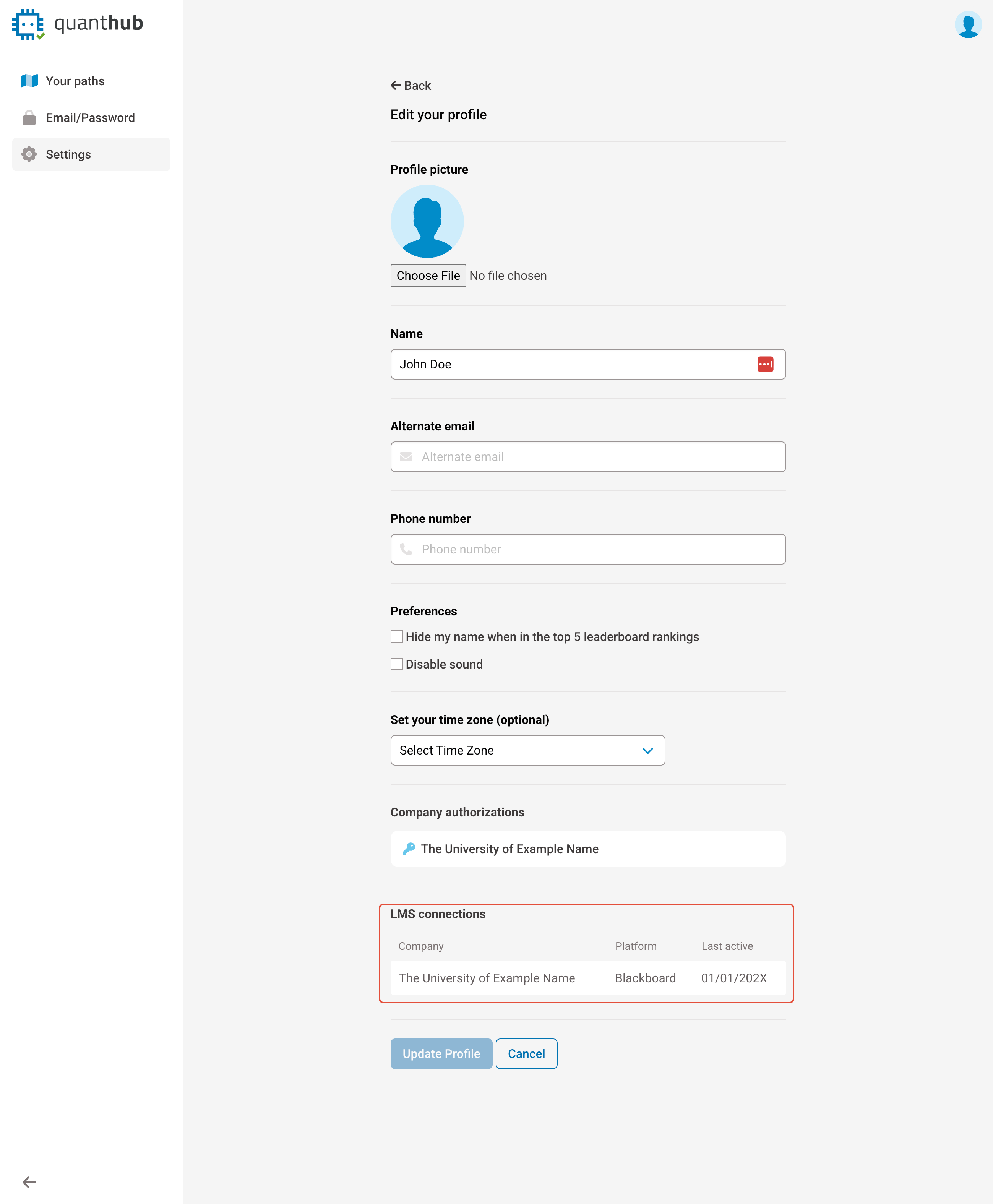
2. To confirm this process has been completed, ensure there is an "LMS Connection" bar at the bottom with your:
School
Platform (Canvas, Blackboard, D2L, Schoology, etc.)
Last Active Date
Was this article helpful?
That’s Great!
Thank you for your feedback
Sorry! We couldn't be helpful
Thank you for your feedback
Feedback sent
We appreciate your effort and will try to fix the article