Watch the video below OR scroll down to view the steps listed out instead.
TABLE OF CONTENTS
Video Tutorial:
Step By Step Guide:
Updating Section Settings
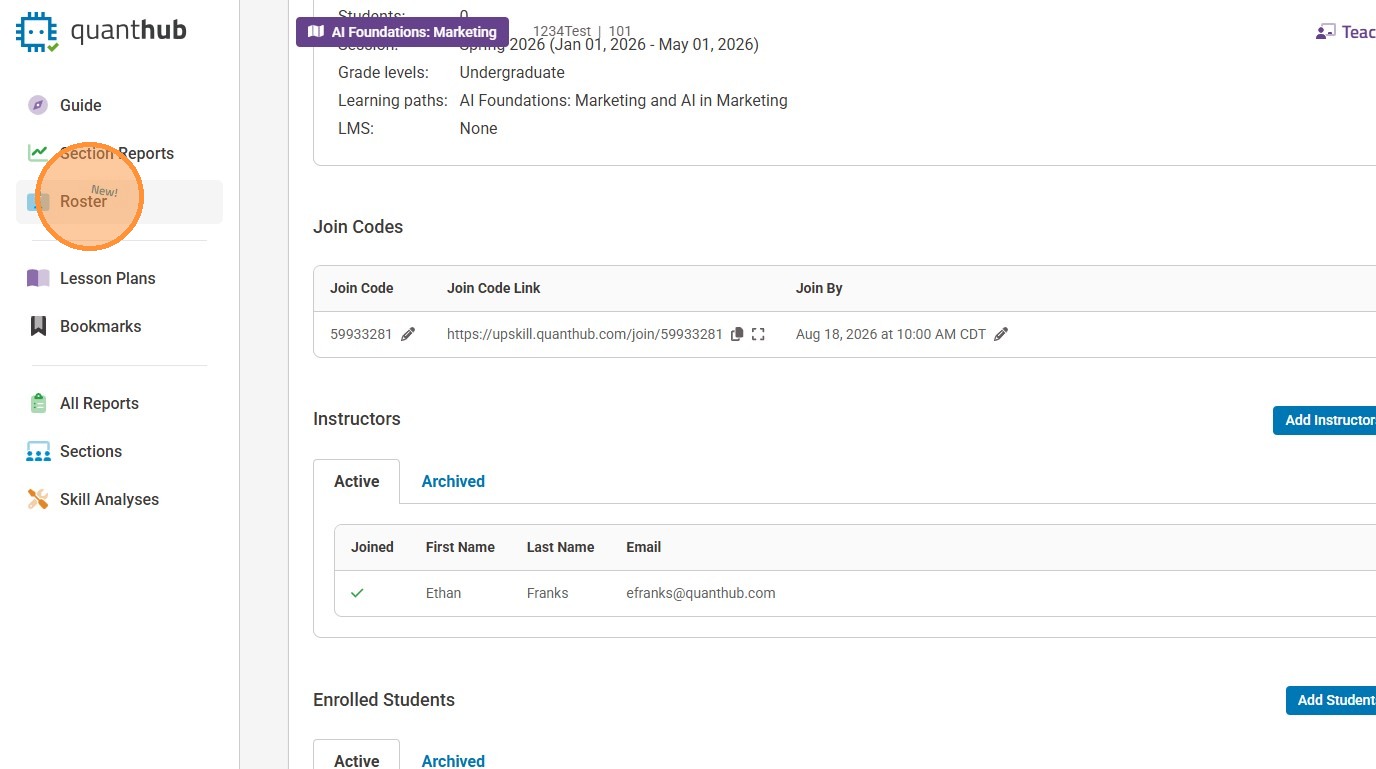
1. To edit the Section/Class, select the "Roster" button on the teach page
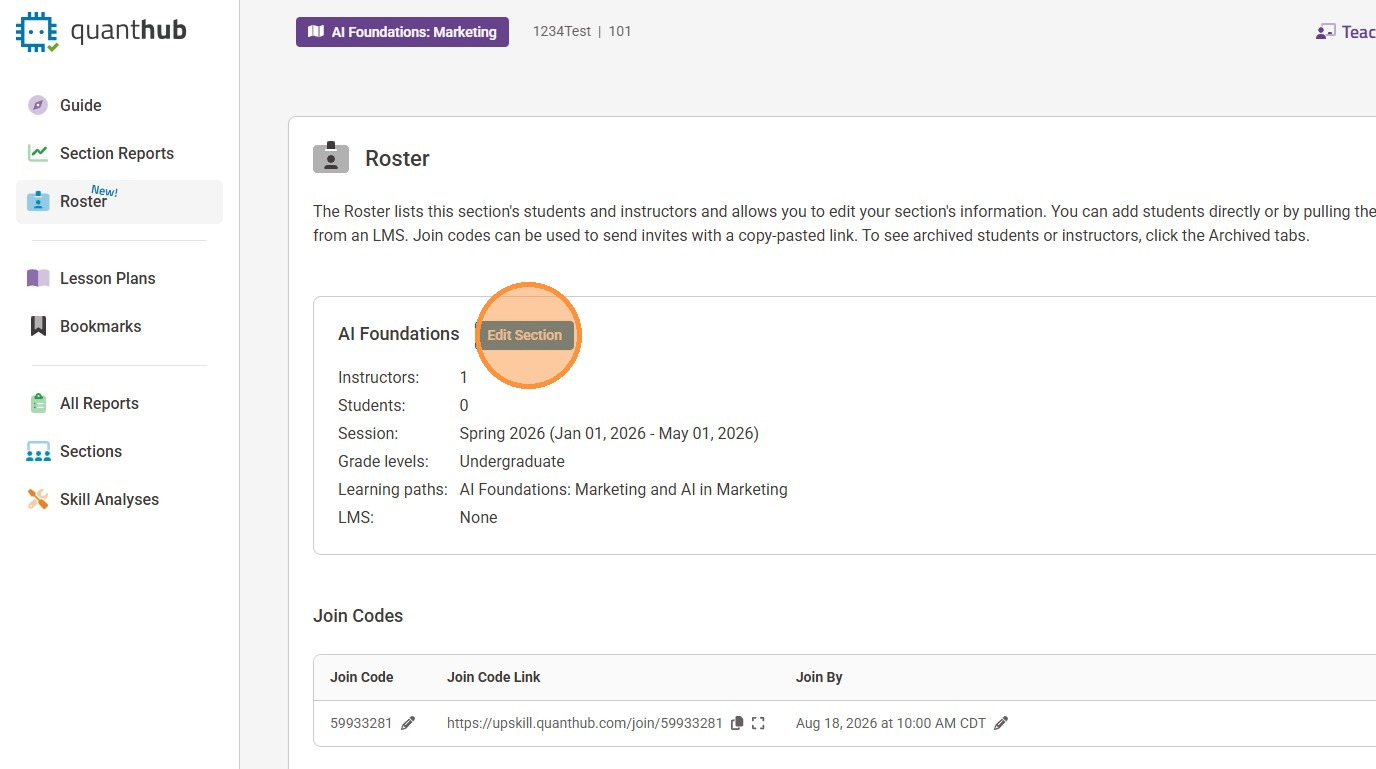
2. Select "Edit Section"
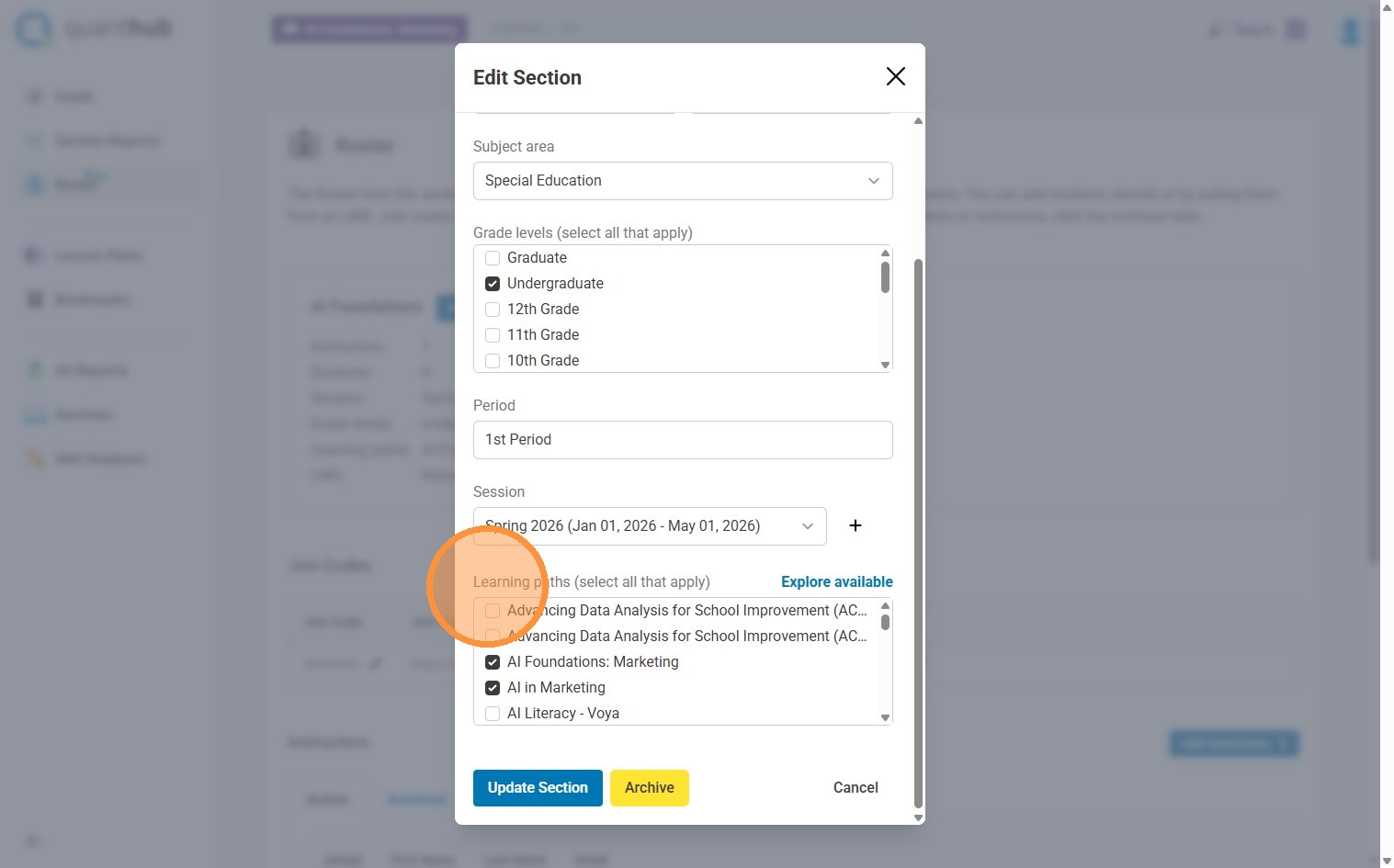
3. Make your desired changes to the name, grade level, period (K12), session, and/or learning paths
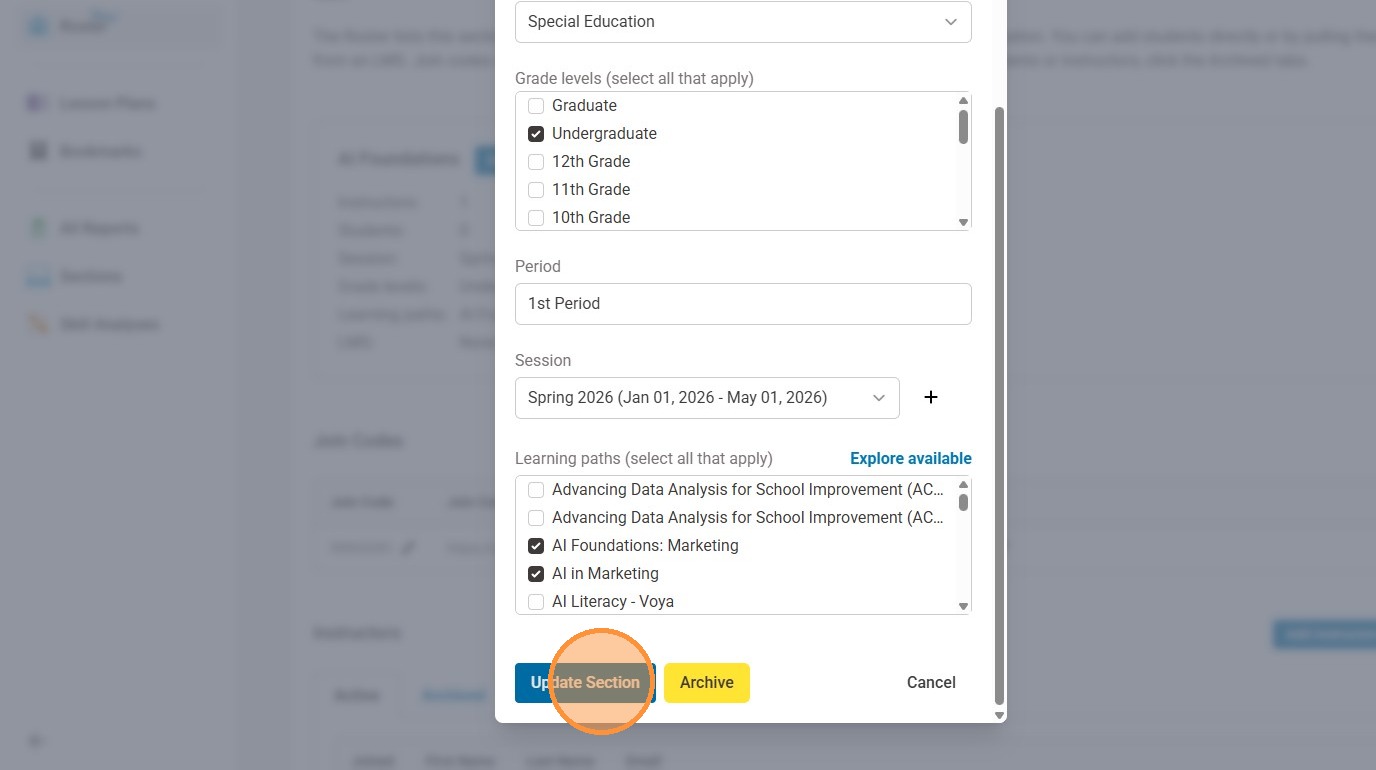
4. Select "Update Section/Class" when you are finished
Updating Learners
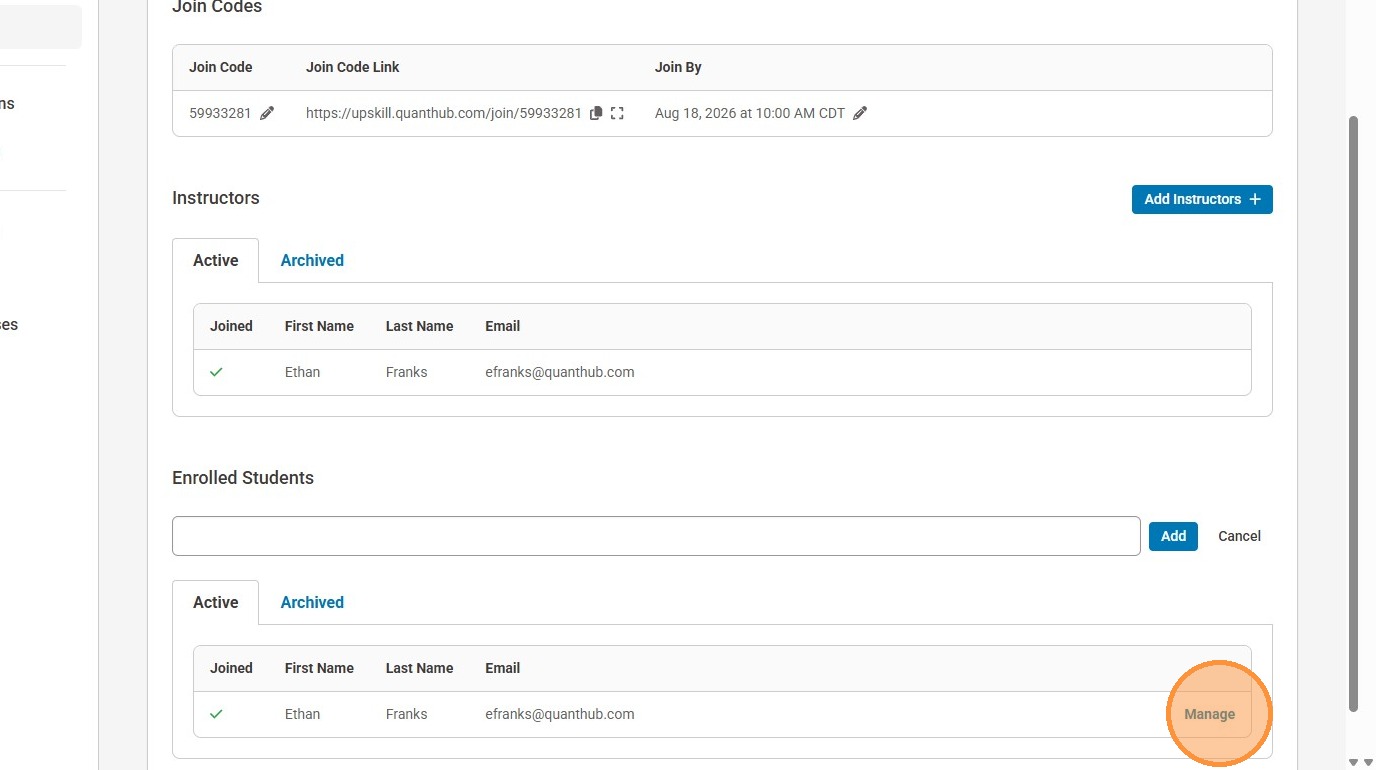
5. On the same row as the learner's name, select "Manage"
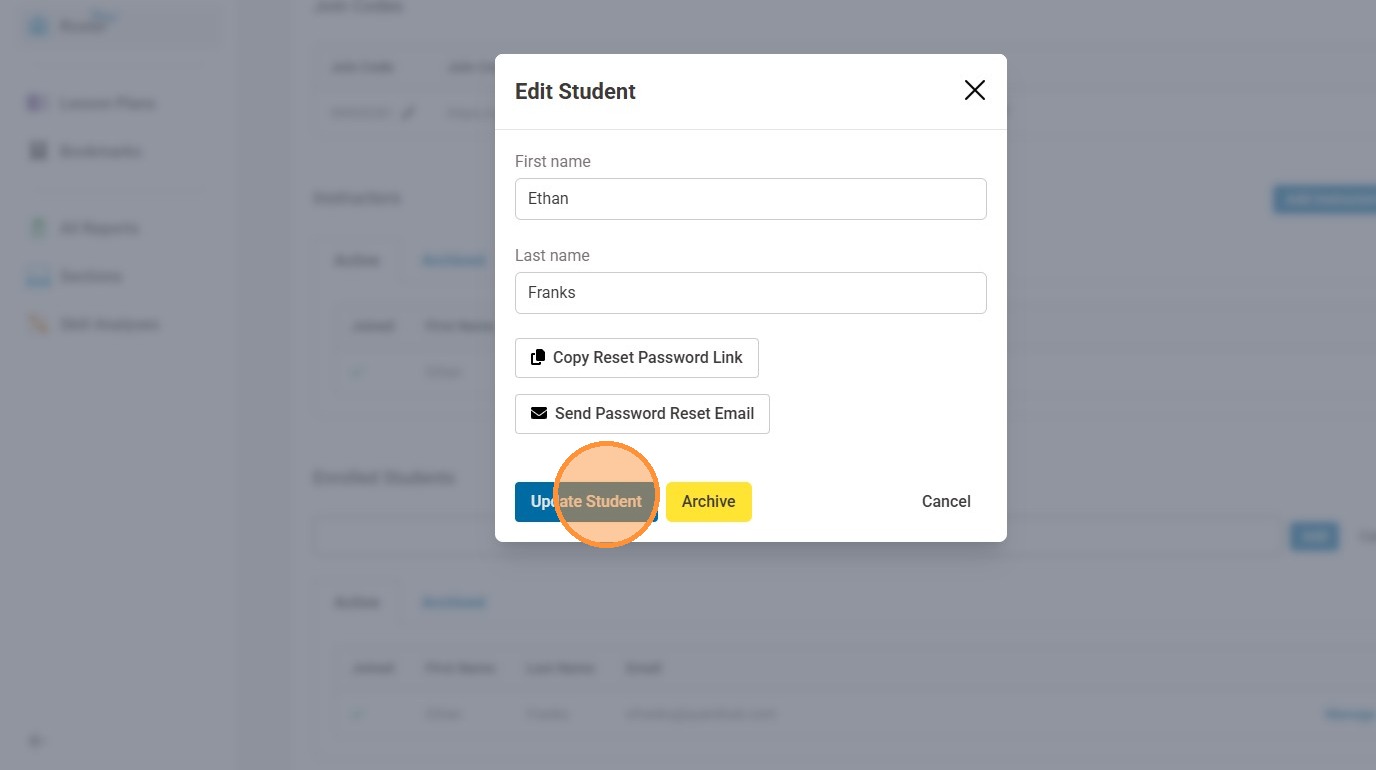
6. On this page you can change the learner's name, copy a reset password link to manually send to the learner, or send a password email. When you are finished making your selections, select "Update Student"
Was this article helpful?
That’s Great!
Thank you for your feedback
Sorry! We couldn't be helpful
Thank you for your feedback
Feedback sent
We appreciate your effort and will try to fix the article