Watch the video below OR scroll down to view the steps listed out instead.
TABLE OF CONTENTS
- What Is the Leaderboard?
- Where Is the Leaderboard?
- Where Is My Cumulative Neuron Count?
- How Do I Earn Neurons for the Leaderboard
- What Counts as a Unique Question?
Video Tutorial:
Step By Step Guide:
What Is the Leaderboard?
1. QuantHub's leaderboard restarts at the beginning of each week crowns the top user, and awards ribbons to second through fifth place based on the neurons users earn from answering unique questions correctly. There are two leaderboards–your organization's and the global QuantHub leaderboard. On your organization's, the top five users' names will be public; to opt out of this, learn how here.
Where Is the Leaderboard?
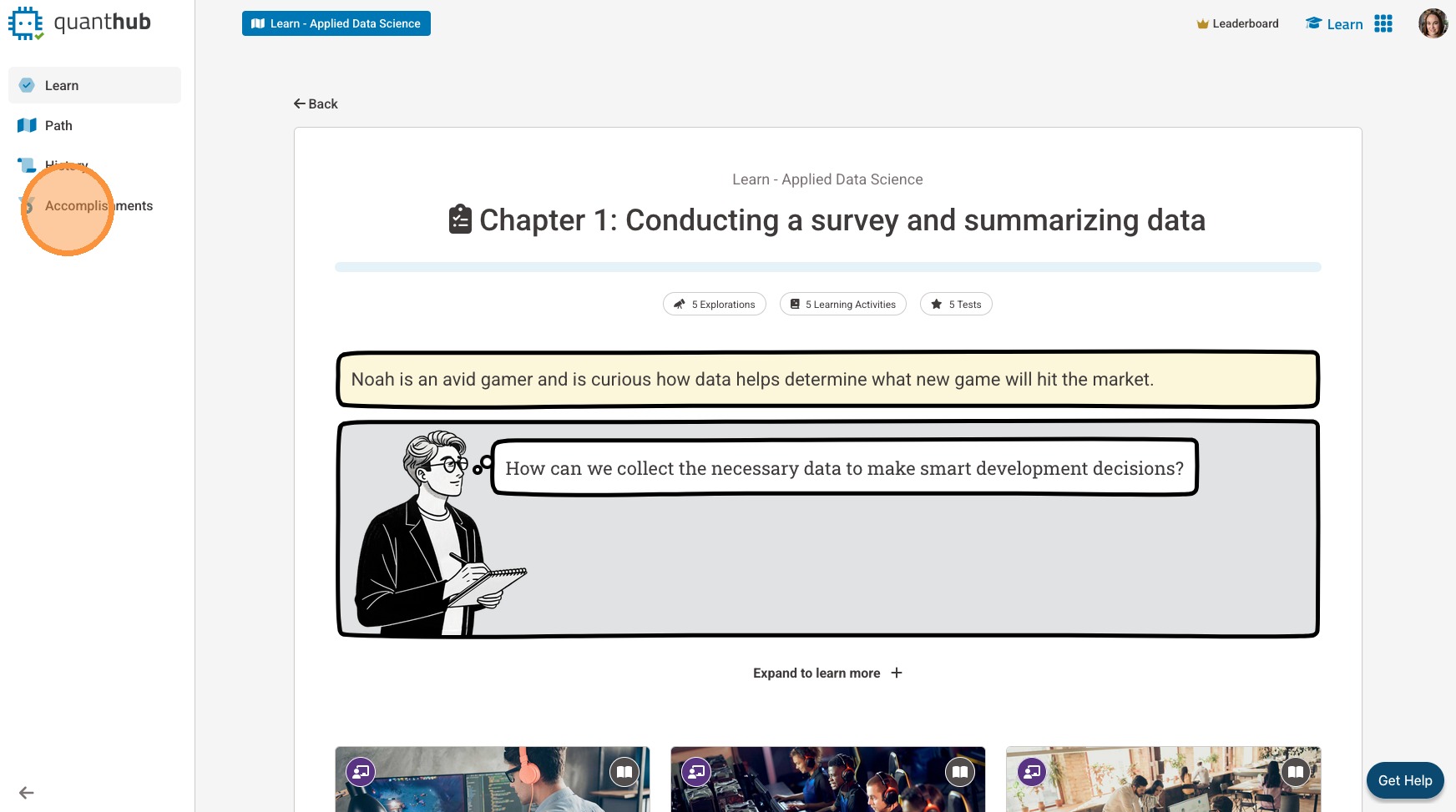
2. Select "Accomplishments" from your left-side menu
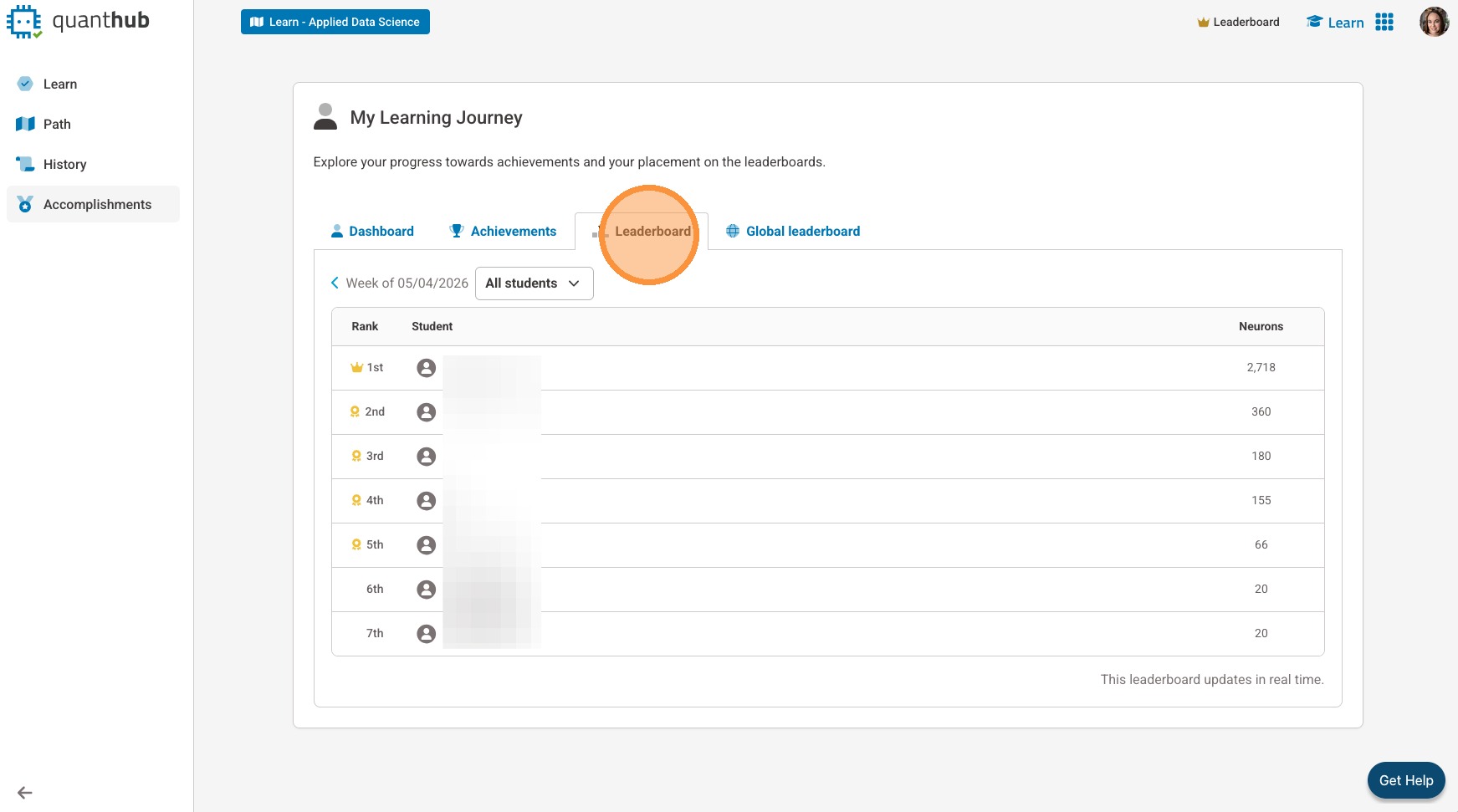
3. Select "Leaderboard"
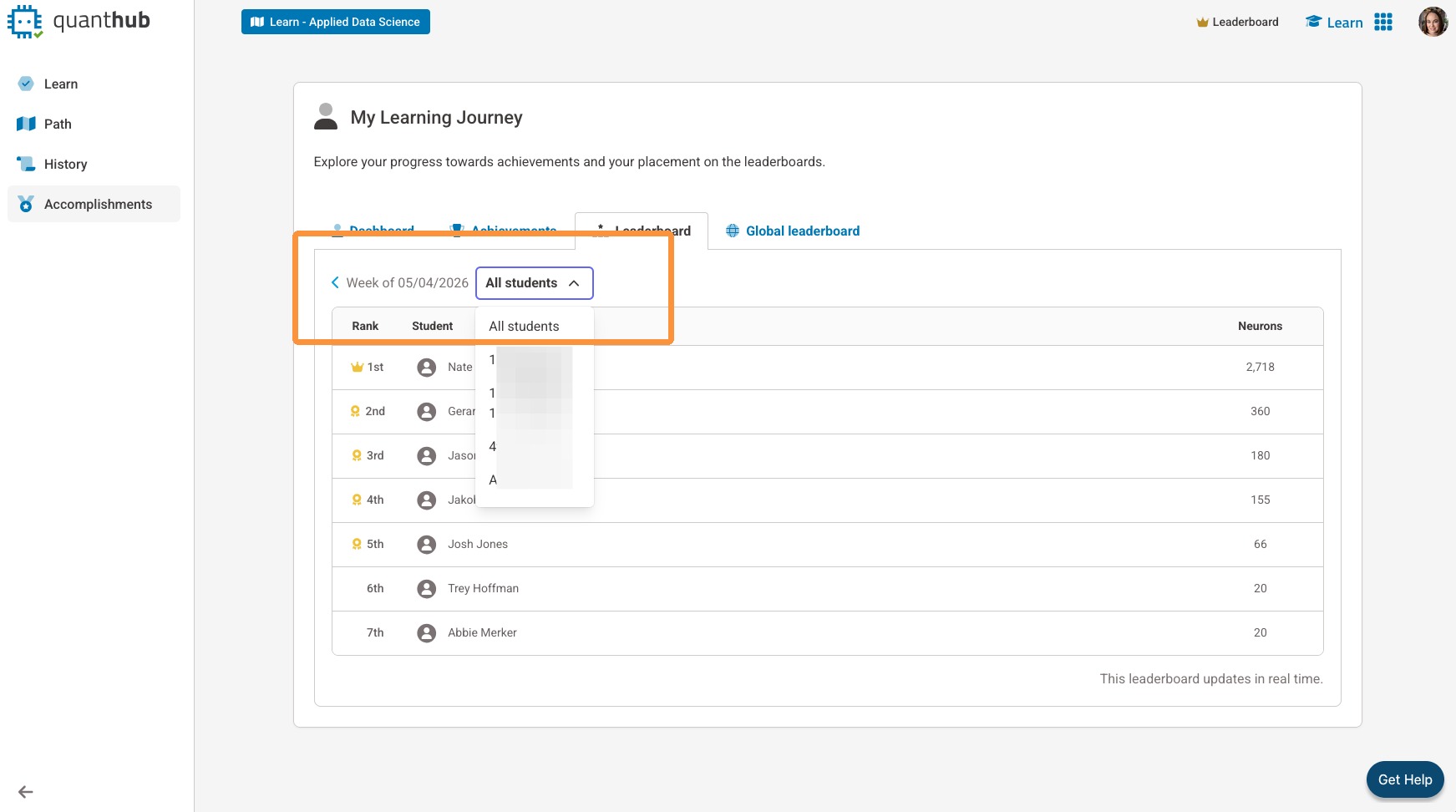
4. View previous weeks, and admins can filter leaderboards by class or team.
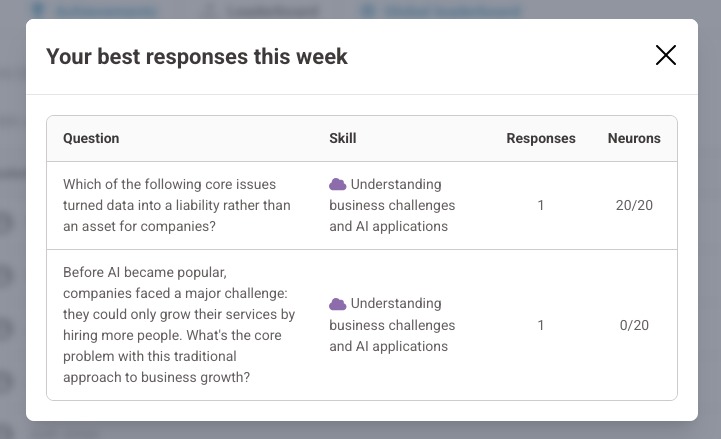
5. You can view your best responses of the week by selecting "See your responses."
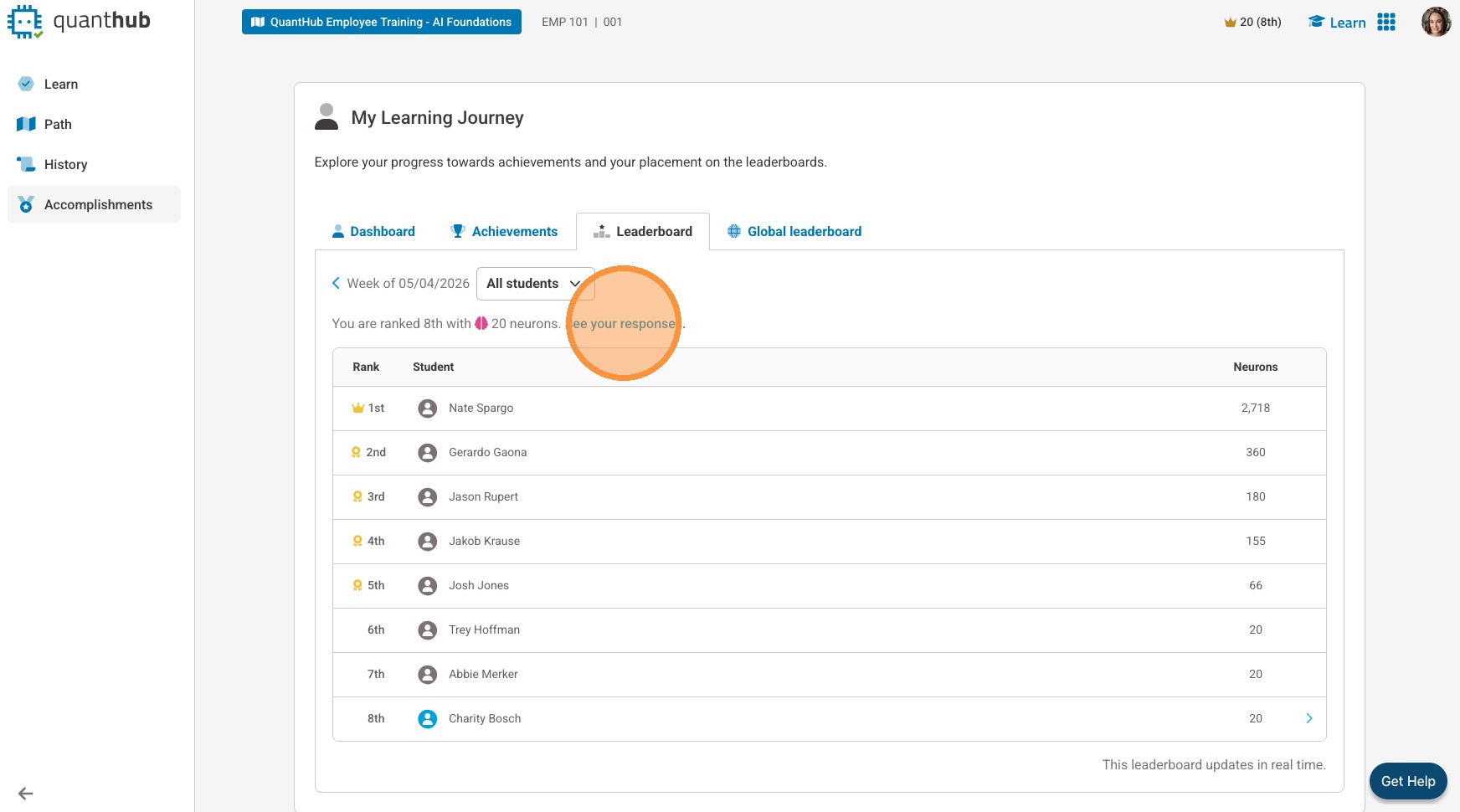
6. A pop-up will show you your top responses with the "Skill" practiced and total "Neurons" earned for each.
Note: Click the X to close the pop up.
Where Is My Cumulative Neuron Count?
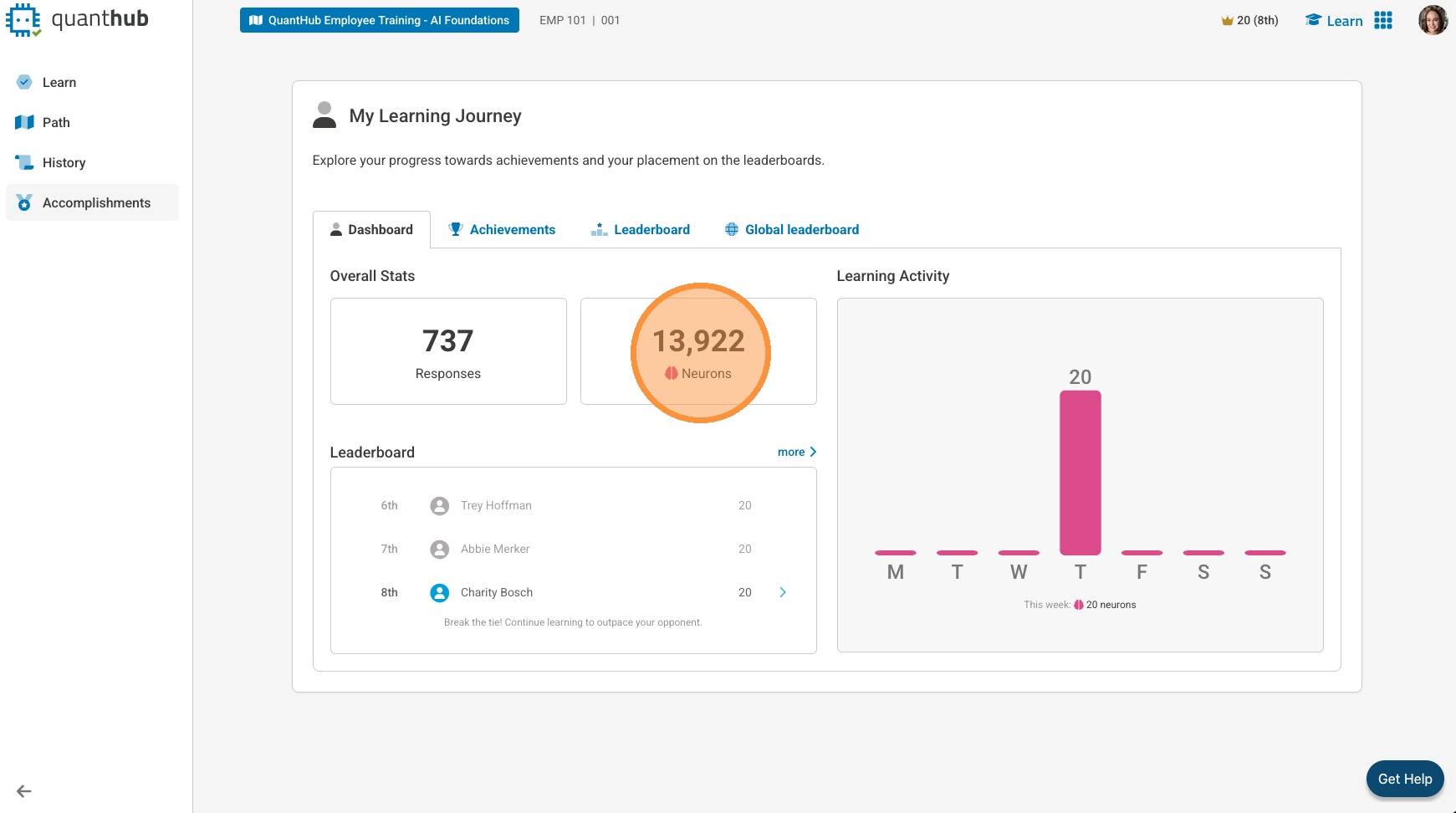
7. Select "Accomplishments" and then "Dashboard" to see your "Neuron" count.
How Do I Earn Neurons for the Leaderboard
8. To move up in the leaderboard each week, you will need to answer unique questions correctly within activities.
9. To begin earning "Neurons" to join the weekly leaderboard, select "Learn."

10. Select "Learn" on your desired learning activity.
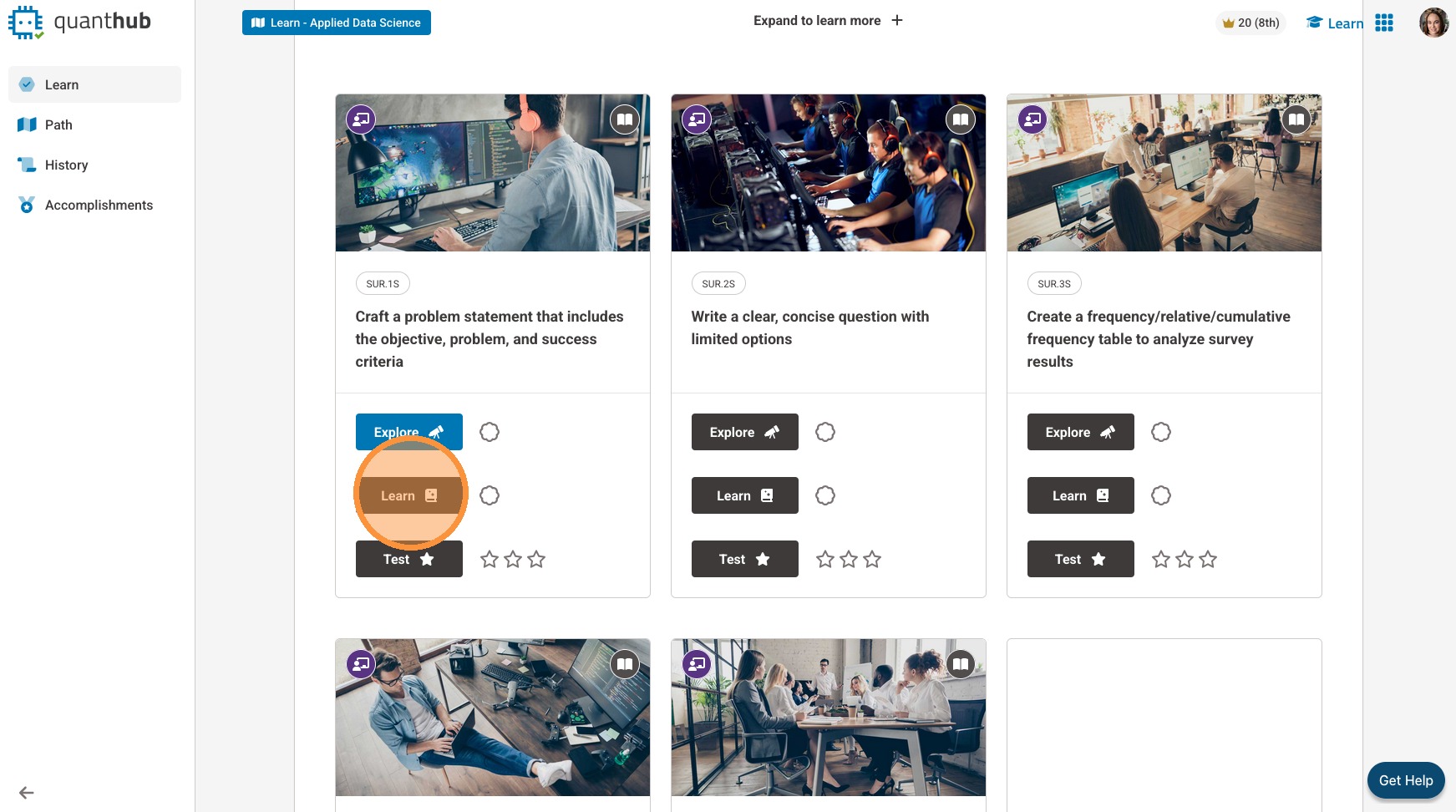
11. Select "Start Lesson" to begin.

What Counts as a Unique Question?
12. If you are studying the same question on repeat, our system will only count the one time you answered that question correctly for the leaderboard score. While you will still be earning neurons toward your cumulative count,
Was this article helpful?
That’s Great!
Thank you for your feedback
Sorry! We couldn't be helpful
Thank you for your feedback
Feedback sent
We appreciate your effort and will try to fix the article